
Introduction
Managing your money used to mean wrestling with complicated spreadsheets or stuffing cash into envelopes. Today, the right app can automatically track your spending, categorize transactions, forecast your cash flow, and even negotiate your bills—all from your smartphone.
But here’s the problem: there are hundreds of budgeting apps competing for your attention, each promising to transform your finances. 3The problem is not a lack of options. It is too many options, each promising to solve the same problem in a slightly different way.
And choosing the wrong one has real consequences. 10Most people who download budgeting apps abandon them within the first month — not because they lack discipline, but because they picked the wrong app for how they actually manage money.
That’s exactly why I created this guide. Instead of overwhelming you with generic features lists, I’ve broken down the 15 best budgeting apps of 2026 by who they’re actually for—whether you’re a hands-on budgeter, a busy couple, someone drowning in subscriptions, or a beginner who just wants to see where the money goes.https://finance4you.online/how-to-create-zero-based-budget-guide/
By the end of this article, you’ll know exactly which budgeting app fits your money personality, your goals, and your budget. Let’s dive in.
How to Choose the Right Budgeting App
Before we get into the specific apps, let’s talk about how to pick the right one. The truth is, the “best” app is different for everyone.
3 In my experience testing personal finance apps, the single biggest mistake people make is choosing an app built for someone else’s money personality. A zero-based budgeting devotee and someone who just wants to see where their money goes need completely different tools.
Here’s what to consider when making your choice:
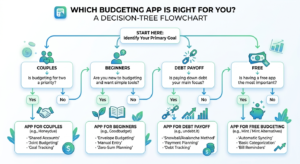
Match the App to Your Money Personality
2 Choose a budgeting app that meshes with your money mindset. Some people follow a particular method, like the cash envelope system or the zero-based budgeting approach. Avoid apps with cute gimmicks unless you’re all-in on that method.
If you’re new to budgeting methods, our guides on zero-based budgeting and the 50/30/20 budget rule can help you decide which approach suits you before choosing an app.
Key Features to Look For
6 Standard features among budget apps include bank account integration, expense trackers, bill reminders, goal setting and the ability to categorize expenses. Beyond these basics, consider whether you need:
- Bank syncing vs. manual entry
- Partner/household sharing for couples
- Investment and net worth tracking
- Subscription detection and cancellation
- AI-powered insights and categorization
Free vs. Paid: What’s the Difference?
2 There are plenty of great free budgeting apps on the market, but they tend to have limited functionality and include in-app ads. Paid apps will have more features, sync with your accounts automatically and provide an ad-free experience.
For context on pricing, 2annual subscription prices range from $72 for Quicken Simplifi to $109 for YNAB. But don’t let price be your only deciding factor. 2While you should consider price, don’t just gravitate toward the cheapest option. Spending money to help you save can be worthwhile in the long run.
The 15 Best Budgeting Apps of 2026
Here are my top picks, organized so you can quickly find the right app for your situation.
1. YNAB (You Need A Budget) — Best for Zero-Based Budgeting
Price: 3$14.99/month or $109/year (34-day free trial) Platforms: iOS, Android, Web
YNAB is the gold standard for anyone serious about changing their spending habits. 3YNAB is designed so that users plan ahead for their financial decisions rather than track past transactions. It follows the zero-based budgeting system, which means you assign a job to every dollar you earn. That is not just a feature – it is a complete philosophy shift in how you relate to money.
What sets YNAB apart is its proven ability to keep users engaged. 3YNAB users are famously loyal, and the 75% twelve-month retention rate is the highest in the budgeting app category.
Best for: People digging out of debt or living paycheck to paycheck who need to change their habits, not just watch them. 14Pick YNAB if your real problem is that you cannot stop overspending and you need a system to force the change. The Four Rules and zero-based budgeting are the entire point. You will spend 30-60 minutes a week on it. That ritual is what causes the behaviour change.
One downside: 12YNAB does not automatically identify your subscriptions, making it harder to find and cancel unwanted recurring expenses.
If you want to master the method behind YNAB, read our complete guide on how to create a zero-based budget.
2. Monarch Money — Best for Couples and Households
Price: 8$99.99 if paid annually, or $14.99 per month if paid monthly. There’s a free seven-day trial and money-back guarantee. Platforms: iOS, Android, Web
Monarch has quickly become the go-to app for couples and families. 1Monarch is a premium budgeting app built for couples and households that want one shared view of every account, goal and category. Monarch was founded by a former Mint product lead and built specifically to fix the things Mint never solved, chiefly, real partner support and modern category management.
What makes it great for households: 1Each member of a household gets their own login, with permission settings that let you decide what’s shared and what stays private.
Unlike YNAB’s strict approach, 15Monarch Money focuses on giving you a clear, visual picture of your finances with helpful insights and automation, while YNAB is all about hands-on control, zero-based budgeting, and building disciplined money habits.
Best for: Couples who want a clean, shared dashboard. 13For most people, Monarch Money is the best all-around budgeting app in 2026: it links your accounts, auto-sorts spending, and offers shared household access.
3. Rocket Money — Best for Subscription Tracking
Price: 1There is a free version, but Premium costs $7–$14 per month (you choose your price) Platforms: iOS, Android, Web
If forgotten subscriptions are quietly draining your bank account, Rocket Money is your solution. 1Rocket Money [is] the best budgeting app overall for its combination of automation, subscription tracking and simple budgeting tools.
The best part? You get real value without paying. 1Rocket Money’s free tier is the best free budgeting option, offering account syncing, subscription tracking and basic categorization at no cost. 1Most people can get value from the free tier, and the optional premium plan adds bill negotiation and unlimited budgets.
Best for: Anyone who wants to stop leaking money on forgotten subscriptions.
4. Empower Personal Dashboard — Best Free Option for Net Worth
Price: Free Platforms: iOS, Android, Web
Empower is a favorite for tracking wealth and investments at zero cost. 8Empower is primarily an investment tool, but its free app includes features helpful for budgeters looking to track their spending. You can connect and monitor checking, savings and credit card accounts, as well as IRAs, 401(k)s, mortgages and loans. With that information, Empower offers a net worth and portfolio tracker.
5 If free is the priority, Empower remains the gold standard for no-cost net worth and investment tracking.
One honest limitation: 5Empower’s planning tools are free, but its wealth management advisory services require meeting investment minimums and carry advisory fees. The free dashboard’s budgeting features are also more limited compared to paid apps like Simplifi.
Best for: Investors and anyone who wants to track net worth for free.
5. Quicken Simplifi — Best for Beginners
Price: 2$72 annually (with frequent discounts) Platforms: iOS, Android, Web
Simplifi is one of the most beginner-friendly options on the market. 4If you’re new to budgeting apps, you can ease in with one of these choices. Quicken’s Simplifi features easy-to-navigate menus and charts, and creates a personalized spending plan you can use to monitor your income and expenses. Your spending plan adjusts as your expenses change, and the app’s features let you easily tweak your budget.
It also helps you plan ahead: 4In addition to tracking your spending, Simplifi helps you plan for the future, projecting your cash flow based on upcoming bills so you can change your spending accordingly.
Best for: Beginners who want an intuitive, affordable, full-featured app.
6. Every Dollar — Best Free Zero-Based Budgeting
Price: 7Free version available, premium paid version for bank syncing Platforms: Web, iOS, Android
Created by the Dave Ramsey team, EveryDollar keeps things refreshingly simple. 7EveryDollar focuses on simplicity. It uses a zero-based, envelope-style budget with minimal complexity.
Best for: Beginners and Dave Ramsey followers who want free zero-based budgeting with manual entry.
7. Copilot Money — Best for Apple Users
Price: 5$13/month (or billed annually for 39% savings). Platforms: iPhone, iPad, Mac, Web. Note: Android is not available
Copilot is widely regarded as the most beautiful budgeting app available. 5Copilot Money is built for the Apple ecosystem, and it shows. The app’s design is native and polished on iPhone, iPad, and Mac — and a web app launched in December 2025 extends access to any browser. Copilot tracks spending, budgets, investments, net worth, and real estate in a single dashboard, with AI that learns your spending patterns and categorizes transactions automatically.
For net worth specifically, 5Copilot connects brokerage accounts, crypto exchanges, and real estate (tracked via Zillow) alongside banking and credit accounts.
Best for: Apple users who want polished design and advanced AI categorization.
8. Goodbudget — Best Digital Envelope System
Price: 8Goodbudget is free. Goodbudget Premium is $10 if you pay per month, or $80 if you pay per year. Platforms: iOS, Android, Web
Goodbudget brings the classic envelope method into the digital age. It’s ideal if you’re 8comfortable entering expenses by hand to avoid paying.
Best for: Fans of the envelope method who prefer manual entry over bank syncing.
9. Honeydue — Best Free App for Couples
Price: 4Try the premium plan free for 7 days. The premium plan is $12.99 monthly, $74.99 annually. Platforms: iOS, Android
Honeydue makes managing money with a partner simple. 4After you download the Honeydue app, you can invite your partner via email or text message to download it, too.
Best for: Couples who want a free-to-start option for shared budgeting.
10. PocketGuard — Best for a Quick Budget Snapshot
Platforms: iOS, Android, Web
PocketGuard excels at answering one simple question: “How much can I safely spend right now?” It’s designed for people who want a fast overview without deep customization, making it perfect for those who want to know what’s left after bills and savings.
Best for: People who want a simple “how much can I spend” snapshot.
11. Cleo — Best for Beginners Who Avoid Their Finances
Cleo takes a unique, conversational approach using an AI chatbot. 10Cleo is best for users who avoid managing their finances. 10Cleo’s free version includes the AI chatbot and basic spending tracking.
Best for: People who find traditional budgeting intimidating and want a friendly AI to guide them.
12. Tiller Money — Best for Spreadsheet Lovers
Tiller is for people who love the power and flexibility of spreadsheets but want automation. It automatically pulls your transactions into Google Sheets or Excel, giving you complete control over your data and formulas.
Best for: Data nerds and spreadsheet enthusiasts who want automation with full customization.
13. Pocket Smith — Best for Future Forecasting
If planning far ahead matters to you, Pocket Smith stands out. 5For anyone who needs to see their finances years into the future, Pocket Smith’s projection tools are in a class of their own.
Best for: Long-term planners who want detailed cash-flow forecasting.
14. Lunch Money — Best for Advanced Users
Platforms: Web, iOS, Android
Lunch Money appeals to those who want flexibility and control. 7Best for: Tinkerers and advanced users. Lunch Money is highly flexible and appeals to users who like control. It’s especially popular with freelancers and those managing multiple currencies.
Best for: Advanced users and tinkerers who want maximum flexibility.
15. Origin — Best for Wealth Planning
Origin goes beyond budgeting to offer comprehensive wealth planning. 10Origin [is] best for wealth planning, combining budgeting, investing, and financial planning tools in one platform.
Best for: People who want budgeting alongside broader wealth and financial planning.
https://finance4you.online/how-to-track-expenses/
Best Budgeting Apps by Category (Quick Picks)
Not sure where to start? Here’s a quick summary based on the most common needs. As one expert testing team put it: 9YNAB owns budgeting discipline, Monarch owns automated couples finance, Rocket Money owns subscriptions, Empower owns free investment analytics.
Best Overall
Monarch Money — the best all-around choice for most people who want automated tracking with a clean interface.
Best for Zero-Based Budgeting
YNAB — unmatched for building disciplined money habits and changing behavior.
Best Free Apps
For no-cost options, you have solid choices. 13Empower is free for tracking your net worth and investments, Rocket Money is free for spotting recurring charges, and Every Dollar has a free manual-entry budgeting tier.
Best for Couples
Monarch Money (premium) or Honey due (free to start).
Best for Beginners
Quicken Simplify or Cleo for those who feel intimidated by budgeting.
How to Get the Most Out of Your Budgeting App
Downloading an app is just the first step. Here’s how to actually succeed with it.
1. Take Advantage of Free Trials
6 Many apps offer a trial period, so test run a few to see which have the features that work best for you. The trial lengths vary significantly—for example, 14 YNAB [offers] 34 days vs Monarch’s 7. The longer trial is one of the biggest practical advantages of starting with YNAB to test fit.
2. Connect All Your Accounts
For automatic tracking to work, link all your financial accounts. Modern apps use secure infrastructure to do this. 14Both use Plaid and Finicity for bank connections — the same infrastructure that powers most personal finance apps. Neither stores your bank credentials. Both encrypt data at rest.
3. Review Weekly
The apps that work are the ones you check regularly. Whether it’s a quick 10-minute review or a deeper weekly budget session, consistency is what turns an app into real results. Pair your app with solid habits from our guide on how to track your expenses effectively.
4. Automate Where Possible
Many apps let you automate savings transfers and bill payments. To take full advantage, learn how to automate your finances for a truly hands-off system.

Are Budgeting Apps Safe to Use?
Security is a valid concern when connecting apps to your bank accounts. The good news is that reputable budgeting apps take security seriously.
4 All of the apps listed here assure users that data obtained from their bank accounts is password-protected and will not be shared with third-party vendors.
As mentioned earlier, most quality apps use bank-level encryption and trusted connection services like Plaid, and they never store your actual banking credentials. That said, always research an app’s security practices, enable two-factor authentication, and use a strong, unique password.
One thing worth understanding is how free apps make money. 13Just know how each one makes money: Empower offers paid advisory services, and Rocket Money upsells premium features. The core apps are free; the upsells are optional. There’s nothing wrong with this model—just know what you’re signing up for.
Frequently Asked Questions About Budgeting Apps
Do I really need a budgeting app?
Not necessarily. 2You don’t always need a complex spreadsheet to create a solid budget. Some people do great with pen and paper. But if you struggle to stay consistent or want automatic tracking, an app can be a game-changer.
Are free budgeting apps good enough?
For many people, yes. Free apps like Empower, Rocket Money, and EveryDollar offer real value. However, 2they tend to have limited functionality and include in-app ads. If you want automatic bank syncing and advanced features, a paid app is usually worth it.
What’s the best budgeting app for beginners?
Quicken Simplifi and Cleo are both excellent for beginners. Simplifi offers an intuitive interface with helpful charts, while Cleo uses a friendly AI chatbot that’s perfect for people who avoid dealing with their finances.
Can I use more than one budgeting app?
You can, but it’s usually unnecessary. 14You can, but it’s usually overkill. Most users settle on one. The exception is if you use YNAB for active budgeting and Monarch (or Empower) for net worth/investment tracking — these are non-overlapping jobs.
Which budgeting app is best for couples?
Monarch Money is widely considered the best for couples. 10Monarch Money is a well-regarded budgeting app for couples in 2026, with shared dashboards, joint and separate account tracking, and collaborative goal setting. For a free option, Honeydue is a great starting point.
What if I keep abandoning budgeting apps?
This is incredibly common. The key is matching the app to your personality. 13The best budgeting app is the one you’ll still be using in March, and that depends on your brain, your budget, and how much hand-holding you want.https://finance4you.online/how-to-automate-your-finances/
Final Verdict: Which Budgeting App Should You Choose?
After comparing all 15 apps, here’s the honest truth: there’s no single “best” budgeting app for everyone. The right choice depends entirely on your goals, your money personality, and how much effort you want to put in.
Here’s my simple decision framework:
- Want to change your spending habits and get out of debt? → Choose YNAB
- Want an all-around app with a clean dashboard? → Choose Monarch Money
- Managing money with a partner? → Choose Monarch (premium) or Honeydue (free)
- Want the best free option? → Choose Empower or Rocket Money
- New to budgeting? → Choose Quicken Simplifi or Cleo
- An Apple devotee who loves great design? → Choose Copilot Money
My biggest piece of advice? Don’t overthink it. Pick the app that matches your situation, commit to using it for at least 30 days, and take advantage of free trials before paying. Remember, the goal isn’t finding the perfect app—it’s finding the one you’ll actually stick with.
Once you’ve chosen your app, the next step is putting a solid budgeting method behind it. Learn how to create a zero-based budget for maximum control, or explore the simpler 50/30/20 budget rule if you prefer flexibility. And to make your budget truly effortless, discover how to automate your finances.
Your journey to financial control starts with a single download. Which app will you choose?